 08:40
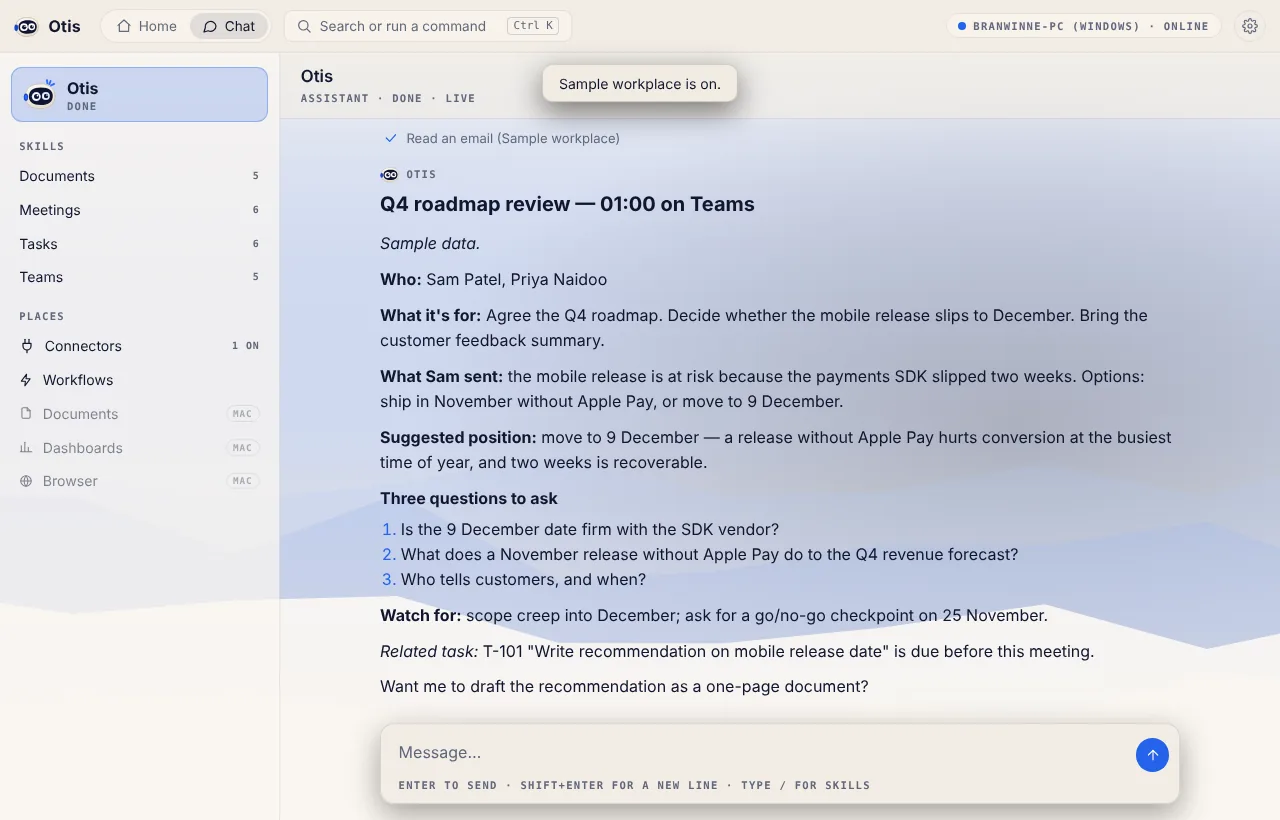
Prepare for my next meeting
Who's coming, what it's for, what they sent you, and the three questions worth asking.
Early access · Windows and Mac
Otis prepares your meetings, drafts your documents and keeps your tasks moving. It reads your calendar, email and task list, and asks before anything leaves your computer.
Works with your own Claude or ChatGPT account. Otis sets it up for you.

See it in action
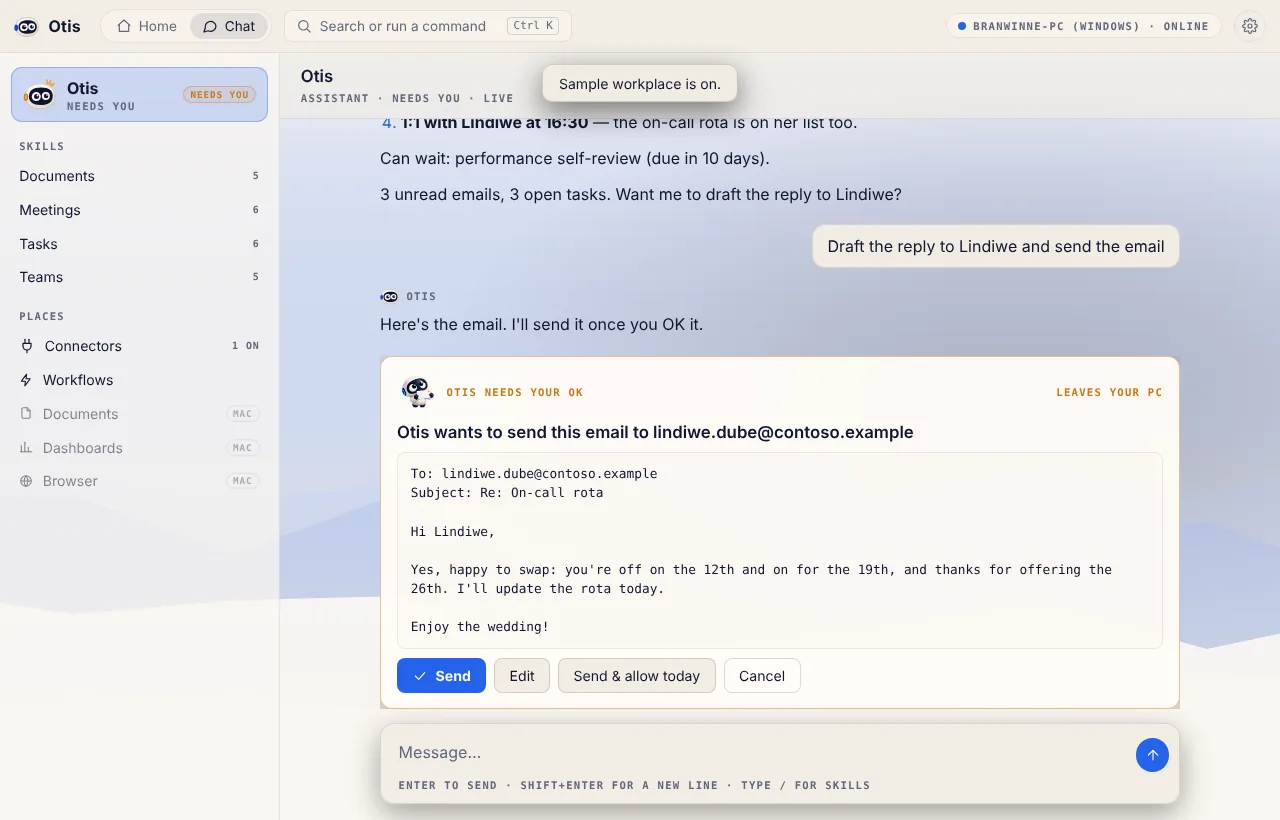
Home, a meeting brief, an email waiting for your OK, and the settings that decide when Otis asks. Shown with the built-in sample workplace.
A day with Otis
08:40Prepare for my next meeting
Who's coming, what it's for, what they sent you, and the three questions worth asking.
 10:15
What needs my attention?
Your meetings, unread email and open tasks in one ranked list, with what to do about each.
 14:00
Draft a one-page proposal
A clean first draft, saved straight to your Otis folder, ready for you to edit.
 16:00, Fridays
Weekly wrap-up
A workflow that summarises your week and writes your status report, on a schedule.
You're in control
Anything that sends, changes or deletes something shows you exactly what will happen, in plain words, before it does.

Works with your tools
Otis connects through MCP, the open standard for giving AI agents tools. Turn on the sample workplace to try it before you connect anything real.
Privacy by design
Otis works in a folder on your PC or Mac. Documents it writes are saved there, not on our servers.
Connections use your own sign-ins and tokens, stored on your computer. Otis never shares them.
Every send, change or delete goes through you, and the chat records what was done.
Meet Otis
You'll always know what Otis is up to.
 Hello
 ListeningThinkingWorkingNeeds your OKGot an ideaDone
 Thanks
Download
Free early access builds for Windows and Mac. Once installed, Otis updates itself.
Windows 10 and 11, 64-bit. If Windows says it protected your PC, choose More info → Run anyway.
Download for WindowsmacOS 11 or later. The first time, right-click Otis and choose Open (or System Settings → Privacy & Security → Open Anyway).
Mac with Apple siliconMac with Intel · Not sure? Apple menu → About This Mac.
Otis thinks with Claude Code or Codex, using your own account. The first time you open Otis, choose Connect Claude or Connect Codex and it sets the rest up. Turn on the sample workplace to try everything first.
Questions
A Windows 10 or 11 PC, or a Mac with macOS 11 or later, and a Claude account (for Claude Code) or a ChatGPT account (for Codex). In Otis, open Settings → AI engine and choose Connect. Otis opens the official sign-in, and installs the engine first if it isn't there.
Otis is free to download during early access. Its answers come from Claude Code or Codex, so they count towards your own Claude or ChatGPT plan, the same as using those tools directly.
Only what you give it: your messages, the files in its own Otis folder, and the apps you connect in Settings → Connectors. To answer, Otis sends your request and the information it needs to the AI engine you chose (Anthropic for Claude, OpenAI for Codex), under your account with them. Otis has no servers of its own that see your data. Read the privacy policy.
Reading your calendar, email and tasks, and saving files in the Otis folder, happen without asking. Anything that sends, changes or deletes something shows you a card first, where you can edit, send or cancel. You choose per action whether Otis asks always, once a day, or never. Scheduled workflows always ask.
Early access builds aren't code-signed yet, so Windows shows “Windows protected your PC” (choose More info → Run anyway) and macOS asks you to confirm (right-click Otis → Open). Signed builds are on the way.
Not yet. Phone apps for checking on Otis and approving its actions are next. Choose Notify me above to hear when they're ready.